
RTO Vehicle Information
Regional Transport Office (RTO) in India provide a authority all things related to vehicle registration, licensing and road transport. RTO vehicle information is useful for various purposes from verifying the details of used car or legal status of your own vehicle.
Information you can get from RTO
- Vehicle Registration Details: Vehicle registration number, registration date, owner name and address, engine and chassis number.
- Vehicle Specifications: Make, fuel type, model, color and vehicle class.
- Fitness Certificate
- Insurance Details: Insurance validity
- Tax Details: Tax payment and validity.
- Vehicle History: Old owner, transfers, penalties.
RTO Vehicle Information You Need
- To confirm vehicle ownership and history before purchasing a used vehicle.
- To speed up and simplify insurance claim processing.
- For support in legal matters or accident-related issues.
- To check and validate your own vehicle records.
- When transferring vehicle ownership.
How to Check RTO Vehicle Information Online?
Through Vahan portal and the mParivahan app you can check RTO vehicle information both official platform of Ministry of Road Transport and Highways (MoRTH) of the Indian government.
On the Vahan Portal (Website)
- Visit the Official Vahan Website: Open the official Parivahan Sewa that provide Vahan Services.
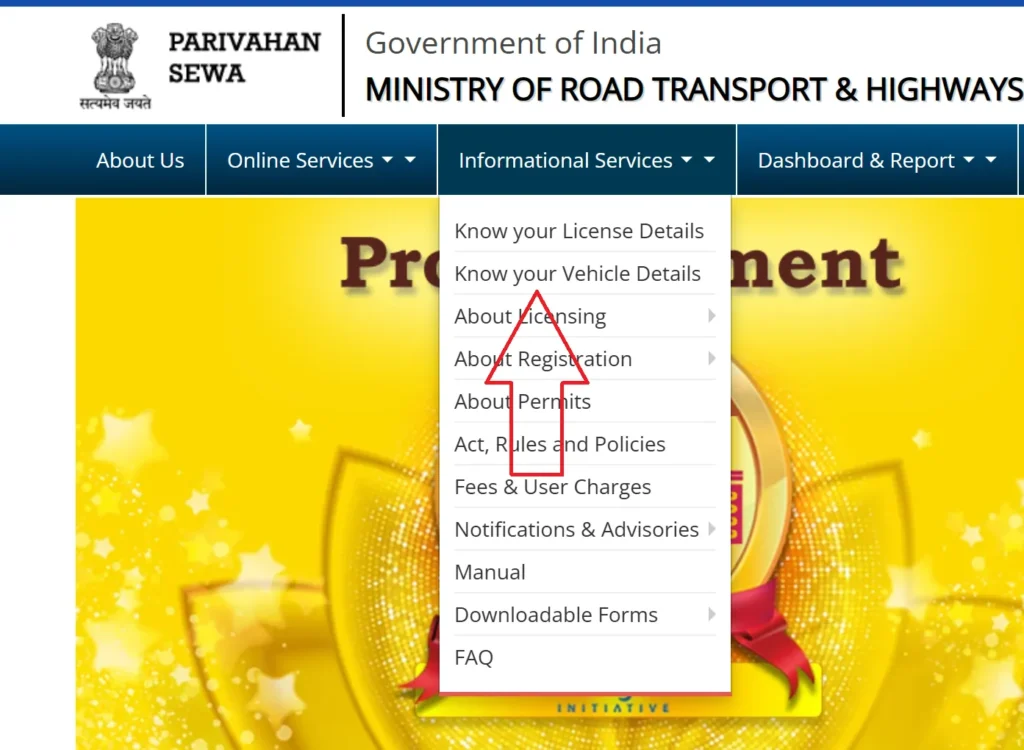
- “Know Your Vehicle Details”: Click on “Informational Services” then “Know your Vehicle Details”.
- Registration/Login: Login to with your mobile number and email, or register if you are new user.
- Enter Vehicle Number and Captcha: Enter vehicle regitration number and captcha code.

- “Search” or “Vahan Search”: Submit your query click on button.
- View Vehicle Details: View owner name, make and model, registration date, insurance and fitness status.
On the mParivahan Mobile App
- Download and Install the App: Go to Google Play Store(Android) and Apple App Store (iOS).
- Register/Login: Sign up with mobile number and verify it with OTP.
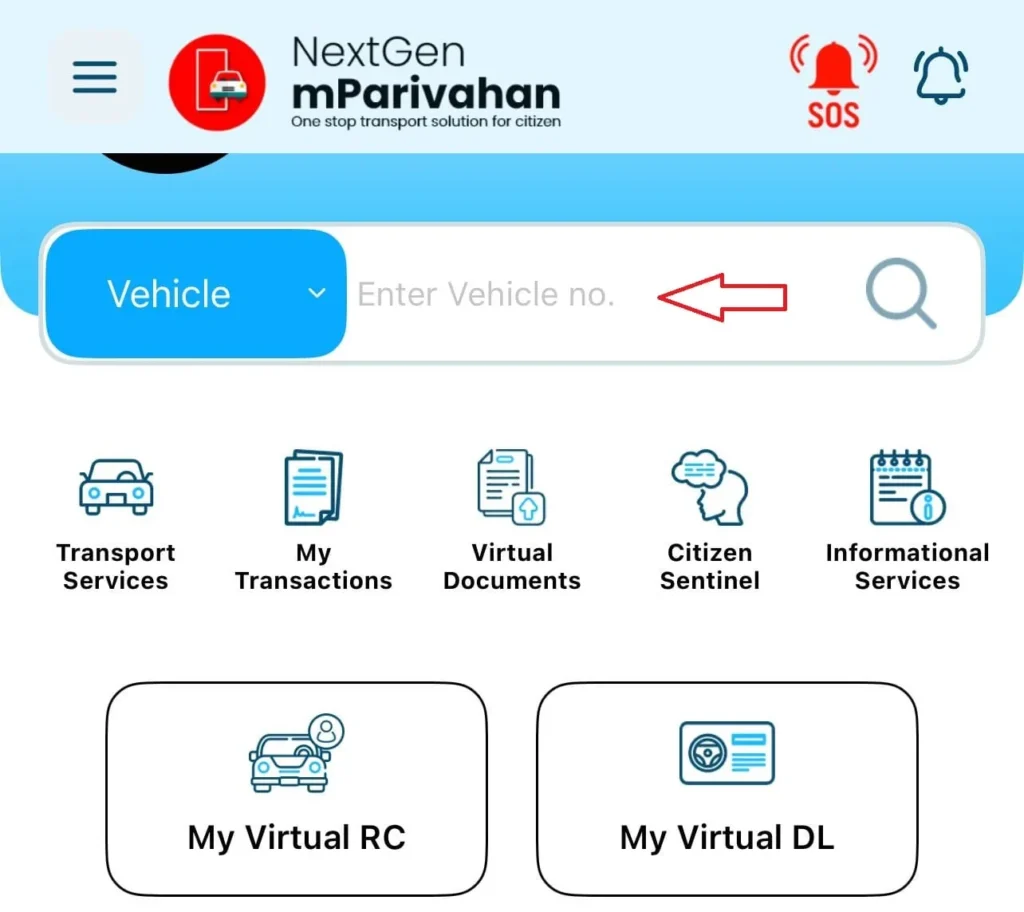
- “RC Search” or “Vehicle Details”: Find the option in app home screen or service menu.
- Enter Vehicle Registration Number: Enter the number.
- View Vehicle Details: Check owner details, vehicle specs, document validity and more.
How to Check Your Driving Licence Details Online?
Through the official online services you can easily check your driving licence details launched by the Ministry Road Transport and Highways (MoRTH) of the Indian Government.
Using the Parivahan Sewa Portal
Parivahan Sewa portal for all driving-related services in India.
- Visit to sarathi.parivahan.gov.in.
- Select your state where your driving licence was issued.
- Click on “Online Services” or “Driving Licence Related Services.”Click on “Know Your Licence Details”.

- Enter Required Information: Add your Driving Licence Number and Date of Birth. Enter the captcha code.
- View Your Details: Click on “Submit” or “Search”. You can see details:
- Your name
- Date of birth
- Categories of vehicles you are licensed to drive
- Licence validity
- Registered address (partially masked)
- Issue date
- Endorsements or penalties, if any
This services verify your status and details of driving licence.
Using the mParivahan Mobile App
The mParivahan app is launched by the Ministry of Road Transport and Highways (MoRTH) for driving licence and vehicle details.
- Download the mParivahan app from the Google Play Store or the Apple App Store.
- If you are new register in app, Login if you already have an account.
- Open the DL Dashboard and click on “View DL” or “Know Your Licence Details”.
- Enter your Driving Licence Number.
- View your driving licence information.
The mParivahan app give a secure access to your driving licence and other transport-related services.
RTO Vehicle Registration Process in India
RTO (Regional Transport Office) registration process is important for all new vehicles.
Steps for New Vehicle Registration:
- Visit the RTO: Go to RTO office with new vehicle for inspection by an RTO official.
- Fill out Form 20: Get it from RTO and Parivahan Sewa website and fill out the Form 20.
- Submit Required Documents: Provide the following:
- Sale Certificate (Form 21) – from the vehicle dealer
- Roadworthiness Certificate (Form 22) – from the manufacturer; Form 22A if body is separately built
- Valid Vehicle Insurance Policy – original and copy
- Proof of Address – e.g., Ration card, Aadhaar, electricity bill (self-attested)
- Proof of Identity – e.g., PAN, Aadhaar, passport, voter ID (self-attested)
- Pollution Under Control (PUC) Certificate – not usually required for new vehicles
- Temporary Registration – provided by dealer
- Dealer’s and Manufacturer’s Invoice – original
- Passport-size Photographs – 2 to 3
- PAN Card or Form 60/61 – as applicable
- Chassis and Engine Pencil Print – taken by RTO official
- Form 34 – if financed, signed by owner and financier
- Customs Clearance (for imported vehicles)
- Vehicle Inspection: RTO officer verify vehicle details.
- Fees: Pay Registration Fees and Road Tax.
- ARTO Approval: After verifying details Assistant Regional Transport Officer give approval.
- Issue of Registration Certificate (RC): Issued as a smart card and sent to your address.
- Number Plate: Through the dealer apply for a High-Security Registration Plate (HSRP).
Important Points:
- Temporary Registration: Valid for about one month and must be converted into a permanent registration.
- Online Services: Many states provide online form submission and appointment booking options.
- State-Specific Rules: Requirements and processes differ by state, so always refer to your local RTO website.
- Dealer Assistance: Most vehicle dealers assist with the registration procedure.
Conclusion
RTO vehicle information is important for responsible ownership and informed purchases. Through Parivahan sewa website and mParivahan app this process become easy and more transparent. So next time you need more about a vehicle go to RTO database.
FAQ’s
1. What does RTO stand for?
RTO stand for Regional Transport Office.
2. What is the main function of the RTO?
The main function of the RTO (Regional Transport Office) is to regulate and manage all transport-related activities, including issuing driving licences, registering vehicles, enforcing traffic rules.
3. How can I register a new vehicle at the RTO?
Submit a application with required document(proof of address, ID, invoice) and pay fees at your local RTO.
4. What services does the RTO provide?
Vehicle registration, driving licenses, vehicle fitness certificates, permits, and collection of road taxes.
5. Can I transfer vehicle ownership online?
Yes, you can submit transfer of ownership applications online and some related process, document submission at RTO is still required.